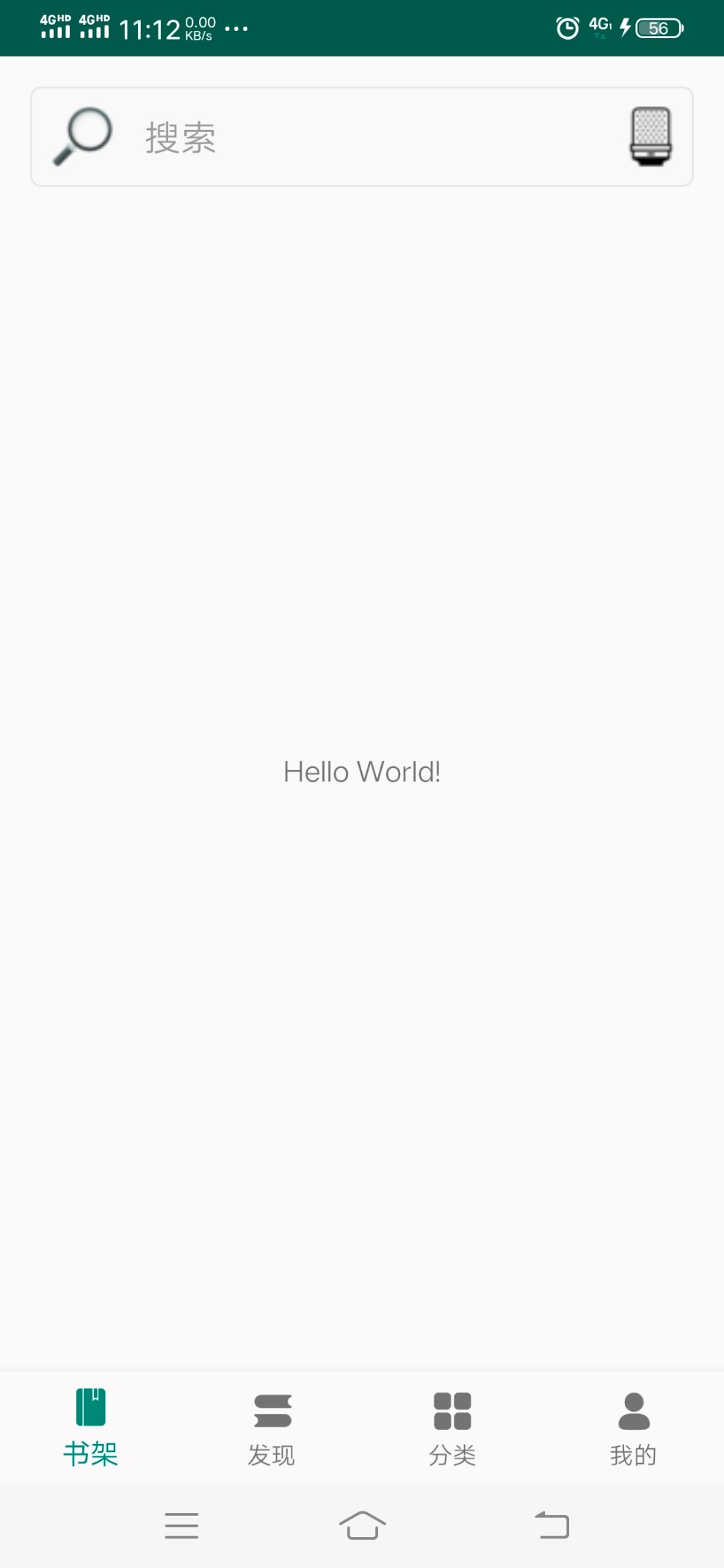
电子书阅读器支持对图书的搜索,搜索功能在书架和发现页面都要使用,因此把搜索功能做成一个自定义控件,通过控件方式添加到书架和发现页面。
搜索控件界面如下图所示:

创建圆角矩形rounded_rect_shape文件
在Android开发中,我们可以使用shape定义各种各样的形状,shape可以适配不同尺寸的手机。
修改res-》values目录下的颜色配置文件colors.xml,添加用于圆角矩形填充和边线的颜色值。
<color name="colorFillRounded">#f8f8f8</color>
<color name="colorStrokeRounded">#e8e8e8</color>
在res-》drawable目录下创建rounded_rect_shape.xml文件,文件代码如下:
<shape xmlns:android="http://schemas.android.com/apk/res/android" android:shape="rectangle">
    <!-- rectangle表示为矩形 -->
    <!-- 填充的颜色 -->
    <solid android:color="@color/colorFillRounded" />
    <!-- 边框的颜色和粗细 -->
    <stroke
        android:width="1dp"
        android:color="@color/colorStrokeRounded"
        />
    <!-- android:radius 圆角的半径 -->
    <corners
        android:radius="5dp"
        />
</shape>
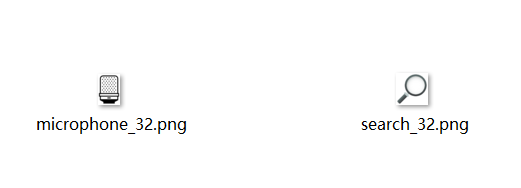
将搜索控件用到的图标资源文件放置到res-》drawable目录下。
创建control_search.xml布局文件
在创建control_search.xml文件之前,需要先修改资源配置文件,添加相关的资源配置项。
修改res-》values目录下的颜色配置文件dimens.xml,添加用于设置控件边距、字体尺寸配置项。
<resources>
    <dimen name="fab_margin">16dp</dimen>
    <!-- 控件外部边距 -->
    <dimen name="padding_space">15dp</dimen>
    <!-- 控件内部边距 -->
    <dimen name="inside_padding_space">10dp</dimen>
    <!-- 控件左侧边距 -->
    <dimen name="element_left">15dp</dimen>
    <!-- 控件左侧边距 -->
    <dimen name="element_right">15dp</dimen>
    <!-- 搜索控件字体尺寸 -->
    <dimen name="search_font_size">18dp</dimen>
</resources>
在res-》layout目录下创建control_search.xml布局文件。
文件代码如下:
<?xml version="1.0" encoding="utf-8"?>
<LinearLayout xmlns:android="http://schemas.android.com/apk/res/android"
    android:layout_width="match_parent"
    android:orientation="vertical"
    android:padding="@dimen/padding_space"
    android:layout_height="80dp">
    <LinearLayout
        android:layout_width="match_parent"
        android:padding="@dimen/inside_padding_space"
        android:background="@drawable/rounded_rect_shape"
        android:layout_height="match_parent"
        android:orientation="horizontal">
        <ImageView
            android:id="@+id/search_text_btn"
            android:layout_width="wrap_content"
            android:layout_gravity="center"
            android:adjustViewBounds="true"
            android:src="@drawable/search_32"
            android:scaleType="fitXY"
            android:layout_height="32dp"/>
        <TextView
            android:layout_width="wrap_content"
            android:layout_marginLeft="@dimen/element_left"
            android:layout_gravity="center_vertical"
            android:layout_height="wrap_content"
            android:layout_weight="1"
            android:hint="搜索"
            android:textSize="@dimen/search_font_size"
            android:textColor="@color/colorPrimaryDark"/>
        <ImageView
            android:id="@+id/search_audio_btn"
            android:layout_width="wrap_content"
            android:layout_gravity="center"
            android:adjustViewBounds="true"
            android:src="@drawable/microphone_32"
            android:scaleType="fitXY"
            android:layout_height="32dp"/>
    </LinearLayout>
</LinearLayout>
创建ControlSearchView类
在com.ebook.reader.ebookreader包内创建view包。
在view包内创建ControlSearchView类,ControlSearchView类继承LinearLayout。
ControlSearchView类代码如下:
package com.ebook.reader.ebookreader.view;
import android.content.Context;
import android.util.AttributeSet;
import android.view.LayoutInflater;
import android.widget.ImageView;
import android.widget.LinearLayout;
import android.widget.TextView;
import com.ebook.reader.ebookreader.R;
public class ControlSearchView extends LinearLayout {
    // 文字搜索图标控件
    private ImageView   searchTextImage;
    // 音频搜索图标控件
    private ImageView   searchAudioImage;
    // 搜索内容控件
    private TextView    searchText;
    public ControlSearchView(Context context) {
        super(context);
    }
    public ControlSearchView(Context context, AttributeSet attrs) {
        super(context, attrs);
        // 加载布局
        LayoutInflater.from(context).inflate(R.layout.control_search, this);
        // 获取控件
        searchTextImage = (ImageView) findViewById(R.id.search_text_btn);
        searchAudioImage = (ImageView) findViewById(R.id.search_audio_btn);
        searchText = (TextView) findViewById(R.id.search_text);
    }
    // 为文字搜索图标控件添加自定义点击事件
    public void setOnclickSearchText(OnClickListener listener) {
        searchTextImage.setOnClickListener(listener);
    }
    // 为音频搜索图标控件添加自定义点击事件
    public void setOnclickSearchAudio(OnClickListener listener) {
        searchAudioImage.setOnClickListener(listener);
    }
    // 设置标题的方法
    public void setSearchText(String text) {
        searchText.setText(text);
    }
}
ControlSearchView类继承LinearLayout布局类,在内部定义了searchTextImage、searchAudioImage、searchText子控件对象,并添加了子控件的单击事件。
在发现页面添加搜索控件
修改发现页面的布局文件activity_main.xml,修改后的代码如下:
<?xml version="1.0" encoding="utf-8"?>
<android.support.constraint.ConstraintLayout xmlns:android="http://schemas.android.com/apk/res/android"
    xmlns:app="http://schemas.android.com/apk/res-auto"
    xmlns:tools="http://schemas.android.com/tools"
    android:layout_width="match_parent"
    android:layout_height="match_parent"
    tools:context=".MainActivity">
    <com.ebook.reader.ebookreader.view.ControlSearchView
        android:id="@+id/search_view"
        android:layout_width="match_parent"
        android:layout_height="wrap_content" />
    <include layout="@layout/content_main" />
    <android.support.design.widget.BottomNavigationView
        android:id="@+id/navigation"
        android:layout_width="0dp"
        android:layout_height="wrap_content"
        android:layout_marginStart="0dp"
        android:layout_marginEnd="0dp"
        android:background="?android:attr/windowBackground"
        app:labelVisibilityMode="labeled"
        app:layout_constraintBottom_toBottomOf="parent"
        app:layout_constraintLeft_toLeftOf="parent"
        app:layout_constraintRight_toRightOf="parent"
        app:menu="@menu/navigation" />
</android.support.constraint.ConstraintLayout>
代码删除了AppBarLayout控件及其子控件Toolbar,添加了ControlSearchView搜索控件。
修改MainActivity类,以适应新的布局文件。
(1)删除下面的代码(控件在布局文件中已删除):
Toolbar toolbar = (Toolbar) findViewById(R.id.toolbar);
setSupportActionBar(toolbar);
(2)删除类方法onOptionsItemSelected(MenuItem item),该方法没有使用。
(3)删除类方法onCreateOptionsMenu(Menu menu),该方法没有使用。
(4)在onCreate方法添加下面的代码:
// ControlSearchViewk控件
ControlSearchView searchView;
(5)在onCreate方法绑定searchView控件及按钮单击事件:
// 绑定searchView控件
searchView = (ControlSearchView) findViewById(R.id.search_view);
// 绑定searchView控件的按钮事件
searchView.setOnclickSearchText(new View.OnClickListener() {
@Override
public void onClick(View view) {
Toast.makeText(MainActivity.this, "选择了搜索按钮", Toast.LENGTH_LONG).show();
}
});
// 绑定searchView控件的按钮事件
searchView.setOnclickSearchAudio(new View.OnClickListener() {
@Override
public void onClick(View view) {
Toast.makeText(MainActivity.this, "选择了音频输入按钮", Toast.LENGTH_LONG).show();
}
});
代码编写完成,运行APP。